Everything You Need to Share Photos at Events
For photo booths and event photographers: from the camera to the guest's phone, and the gallery your client keeps.
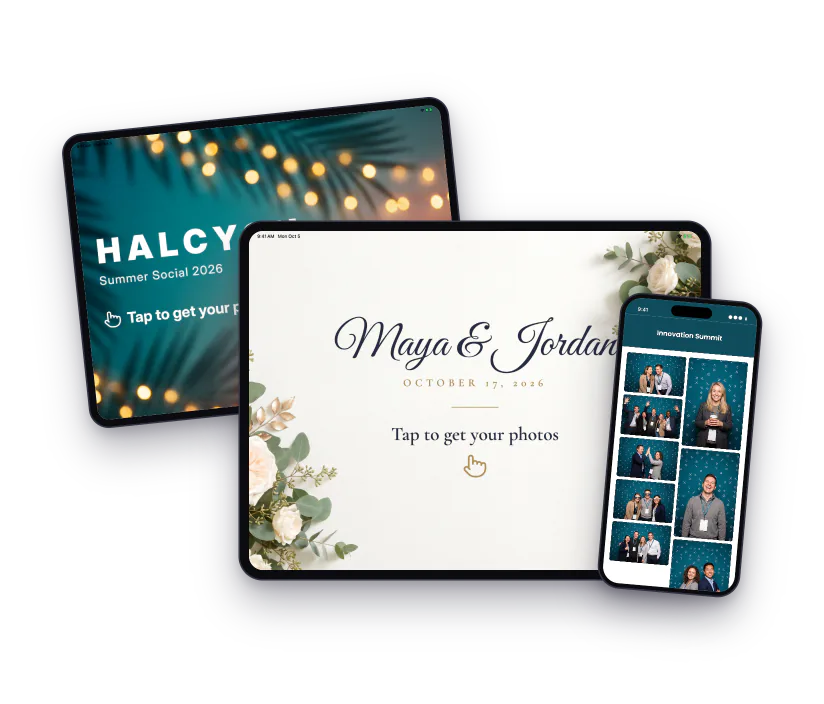
Sharing Station
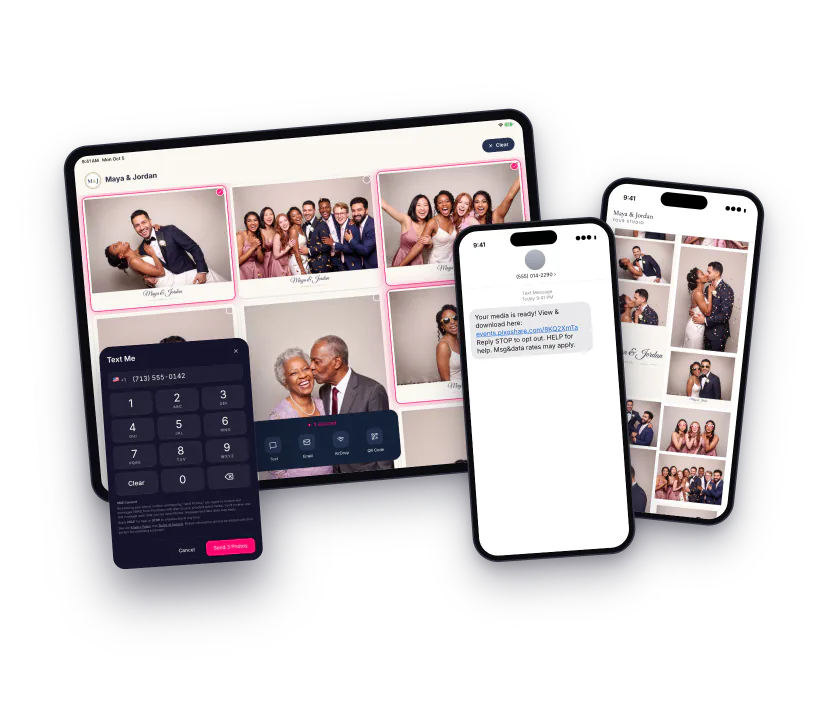
Turn any iPad into a sharing kiosk. Guests browse the event, tap their photos and choose how to take them home. No iPad? The Web Sharing Station runs in the browser on any tablet.
- Several photos, one link
- Text, email, AirDrop and QR
- Unlimited stations per event
- Full-screen guest kiosk
One Link for Everything
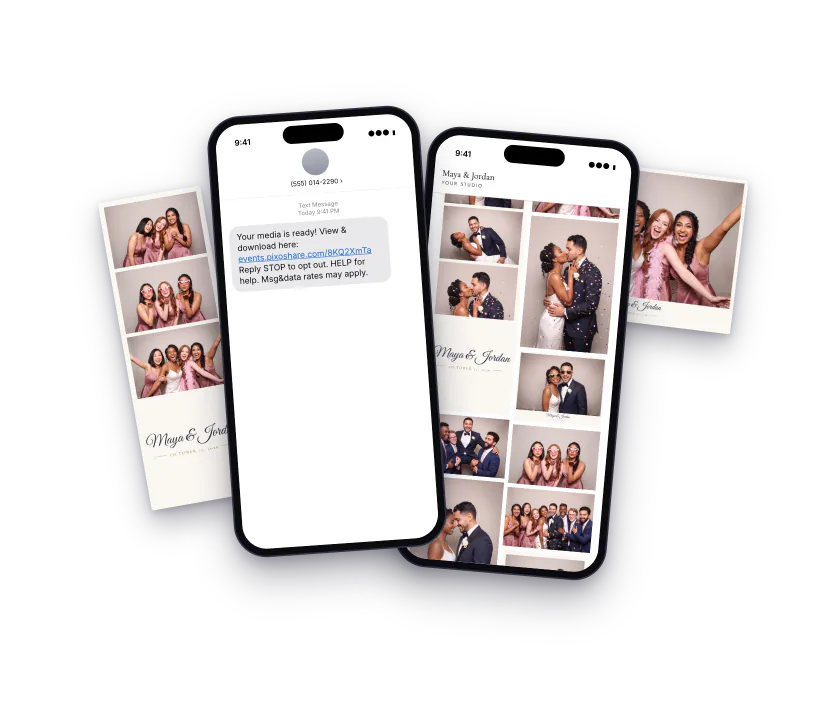
Guests get one text or email with a link to all their photos and videos, not a message per photo. My Photos keeps everything sent to a guest on one page.
- Photos and videos together
- Delivery tracking for every message
- My PhotosPro
- Your own email templatesPro
QR Code Sharing
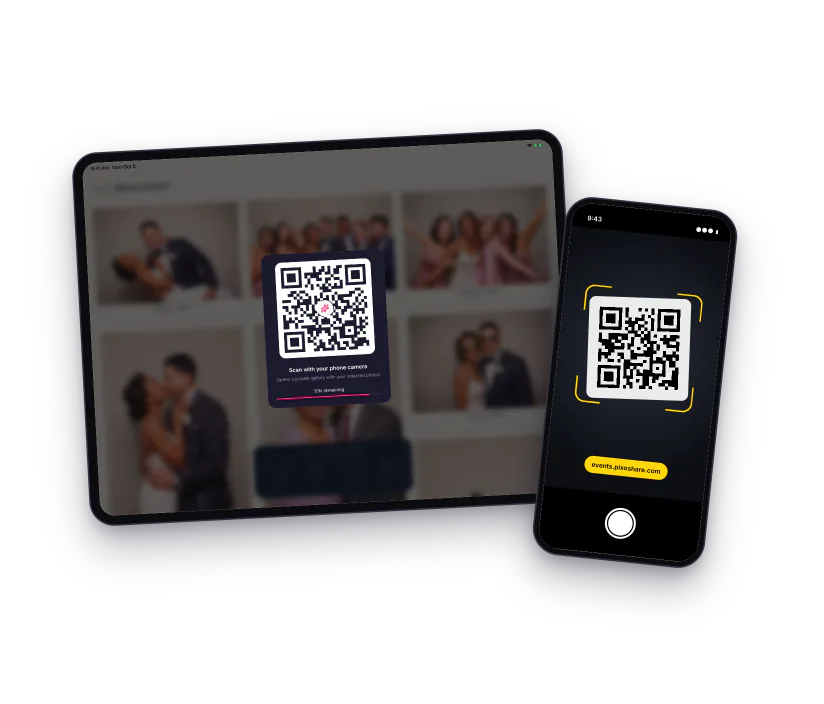
Guests choose QR code and point their phone at the screen. One scan opens their photos, with no phone number or email needed.
- No typing
- Works with any phone camera
- A new code for every selection
Professional Galleries
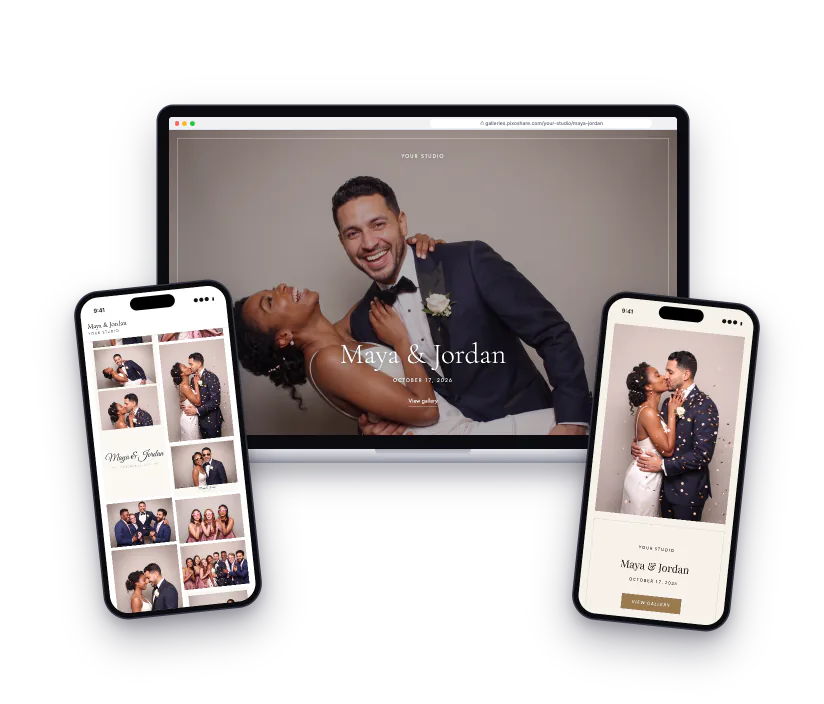
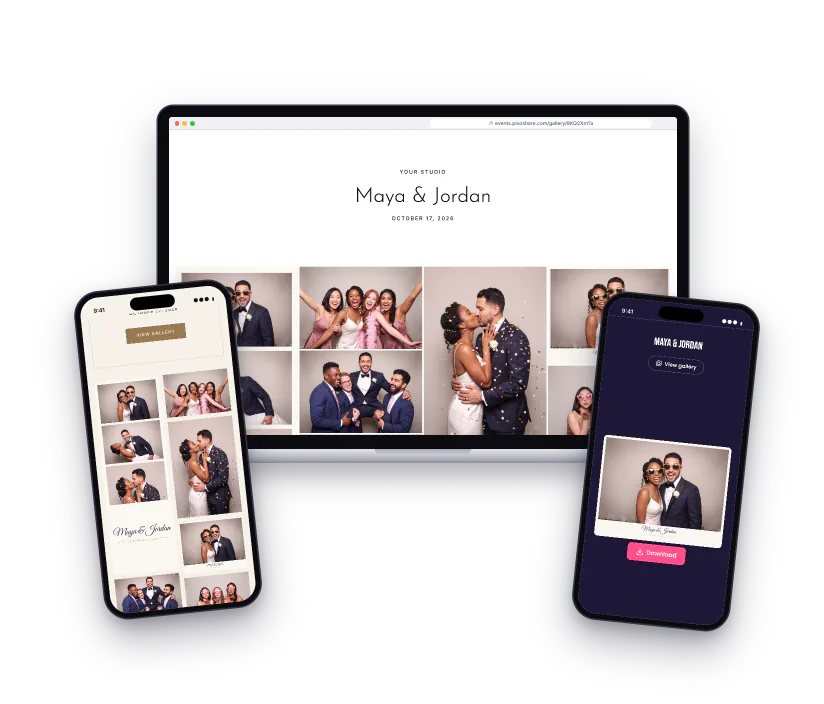
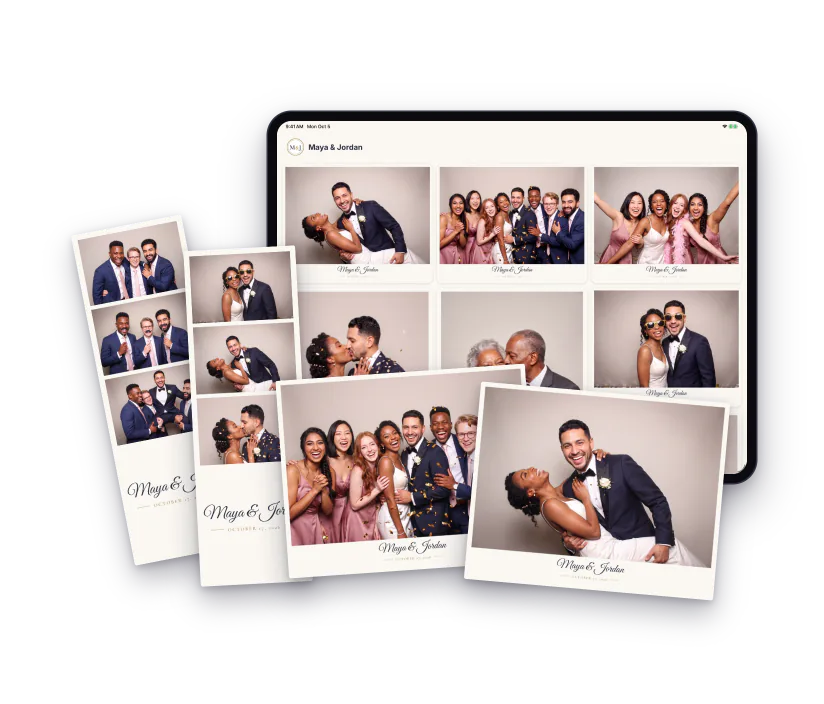
Pick one of seven ready-made looks, made for weddings, parties and brands: a cover with your studio name, heading fonts, a masonry grid and a full-screen viewer.
- Seven ready-made looks
- Cover photo and full-screen viewer
- Built for strips and prints
- Copy a look and make it yoursPro
Client & Live Galleries
Your client gets a gallery with every photo and a Download all button. Guests can browse the Live Gallery during the event, or you can keep it off.
- Download all, sent by email
- Live Gallery on or off per event
- Password protectionPro
- Galleries kept for 2 years
Gallery HubPro
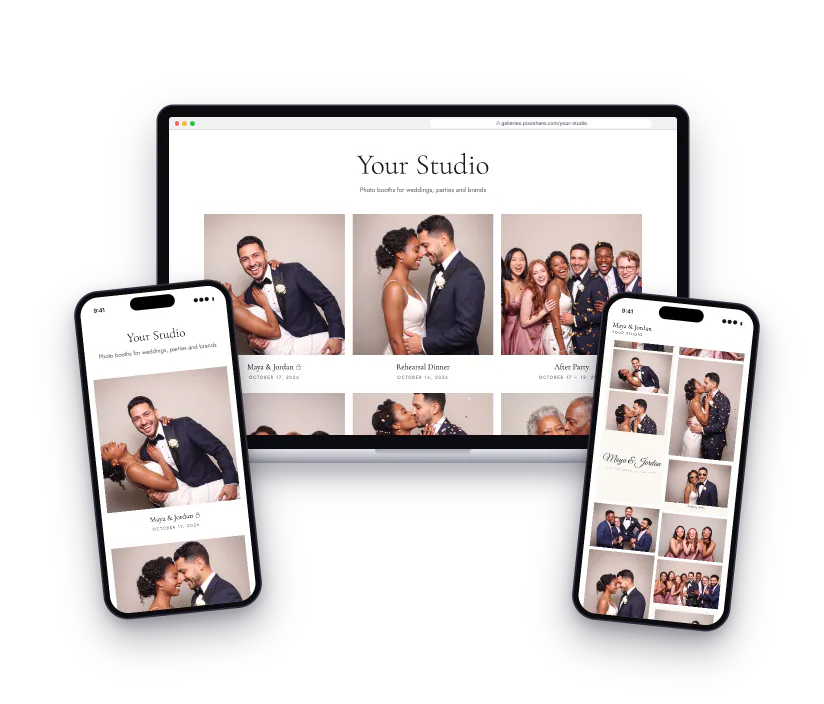
All the events you choose on one page, at galleries.pixoshare.com/your-name, in a look that matches your galleries. Send clients one link to your work.
- Your own web name
- You pick which events show
- Locked galleries stay locked
TV SlideshowPro
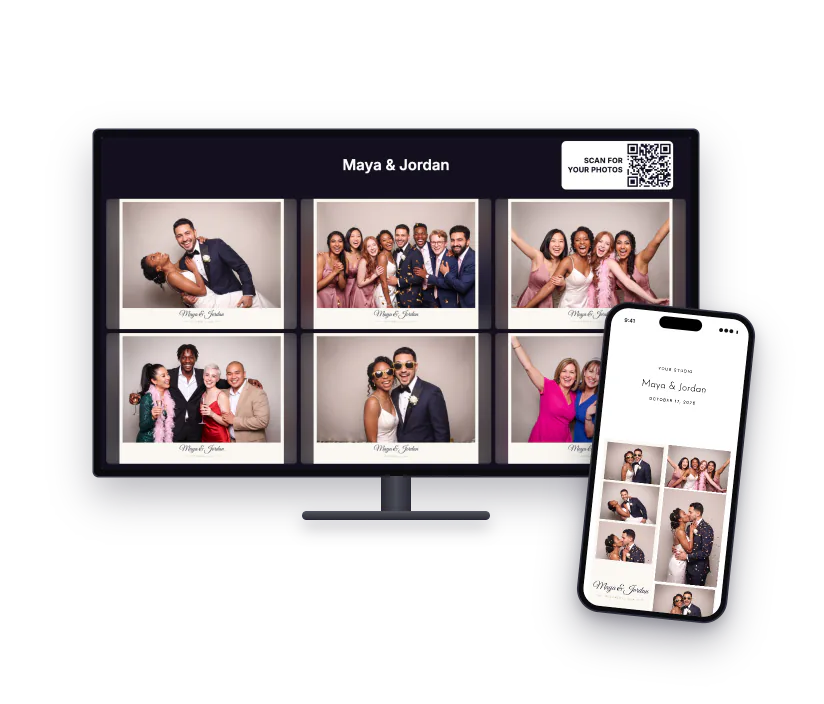
Put the event on a screen at the venue. New photos appear as they come in, with a QR code guests scan to open the Live Gallery.
- One photo at a time or a grid
- Sponsor banners and a scrolling ticker
- QR code to the Live Gallery
AI Effects
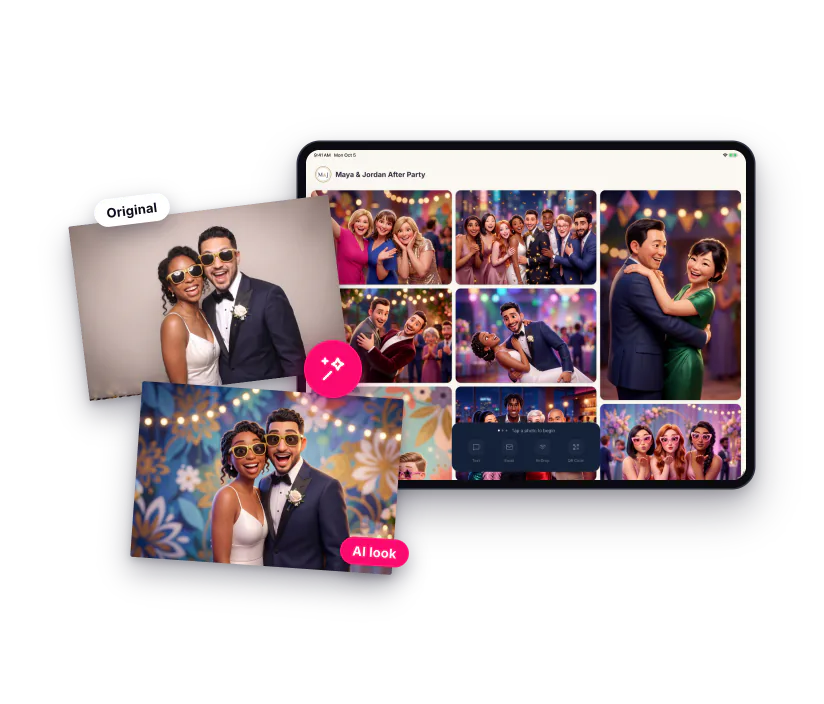
Choose one of 24 styles and every photo at the event gets the look, from the station to the gallery. Try it on your own photo before the event.
- 24 styles, from 3D movie characters to magazine covers
- Every photo, automatically
- Originals kept for you
- Buy credits as you need them
Your Brand EverywherePro
Your logo and colors on the station, an attract screen that plays between guests, and a consent step when you ask guests for an email or phone number.
- Logo and colors on the station
- Attract screens, ready-made or your own video
- Data capture with consent
- Branded galleries and emails
Works with Your Setup
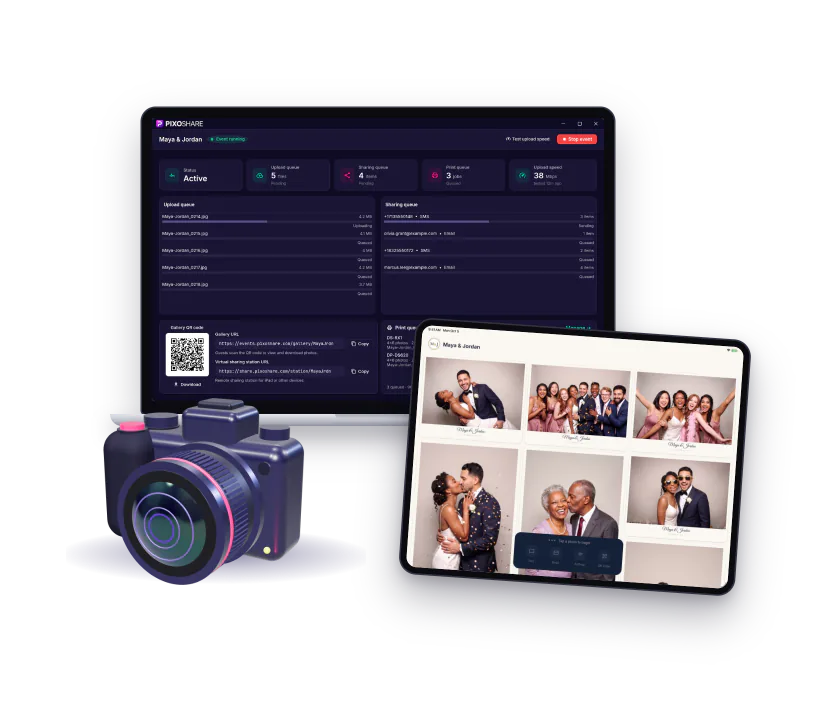
PixoShare for Windows watches the folder your photo booth software or camera saves to and sends every photo to your iPads and the online gallery. No internet? Offline mode serves a local gallery guests open by QR code.
- Darkroom, dslrBooth, Breeze, Social Booth and more
- Tethered cameras that save JPEGs
- Internet drops? Texts, emails and uploads wait and go out when it's back
- iPhone photos (HEIC) and videos
- iPad over Wi-Fi or the PixoShare Cloud tab
Booth Printing
Guests tap Print on the iPad and PixoShare for Windows sends it to your printer. Prints and strips go to the right printer, and you set how many copies each guest gets.
- 4x6 prints and 2x6 strips
- Several printers, shared out automatically
- Copies per guest
Event Dashboard
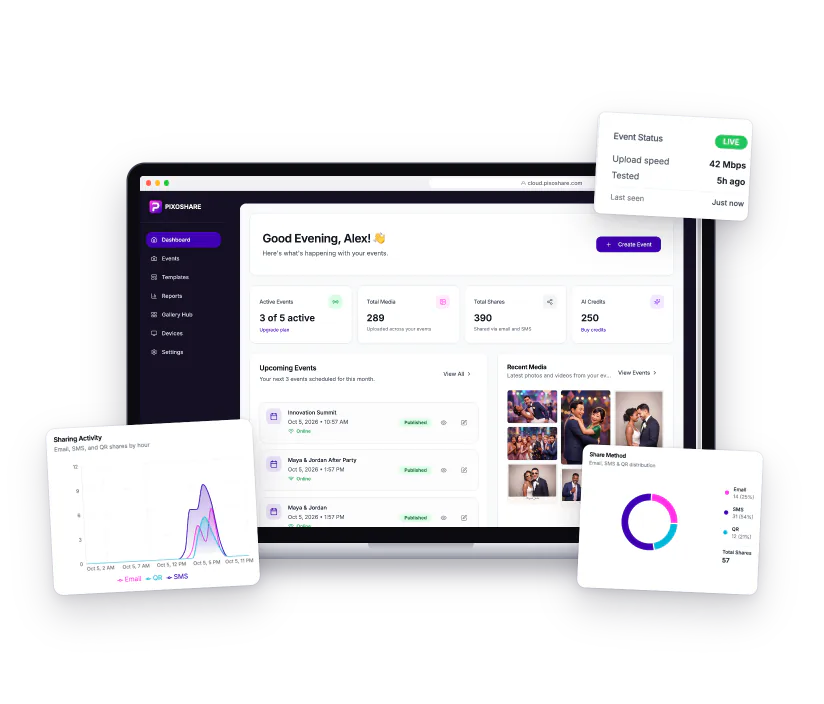
Create events, pick a look and copy any link in seconds. Each event shows its photos, shares and booth status as the night goes on.
- Events, links and booth status in one place
- Photo and share counts for every event
- Duplicate an event with all its settings
- Live charts of shares and downloadsPro
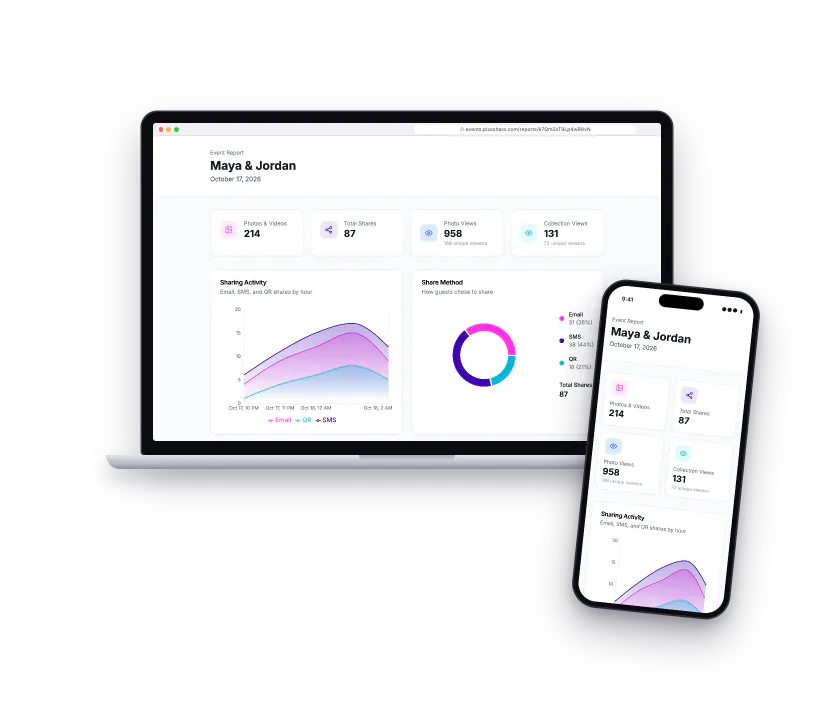
Analytics & Client ReportsPro
See shares, downloads and gallery views for every event, and send your client a results page of their own.
- Shares by text, email and QR
- A results page for your client
- Event reports and CSV export
On Every Plan
- Unlimited events
- Unlimited connected devices
- Run 2 events at once on Starter, 4 on Pro
- 2-year gallery retention
Start Sharing Photos in Minutes
Set up in under 5 minutes. No credit card required. Works with most software that saves to a folder.
By starting a trial you agree to our Terms of Service and Privacy Policy.